
mother’s day
Explore how TizenTube works after installation and customize your viewing experience.
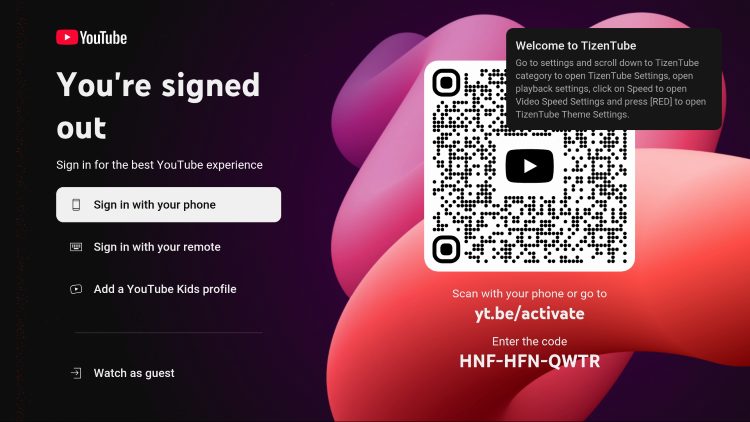
2. Browse the home screen with familiar sections like recommended videos, trending content, and subscriptions.
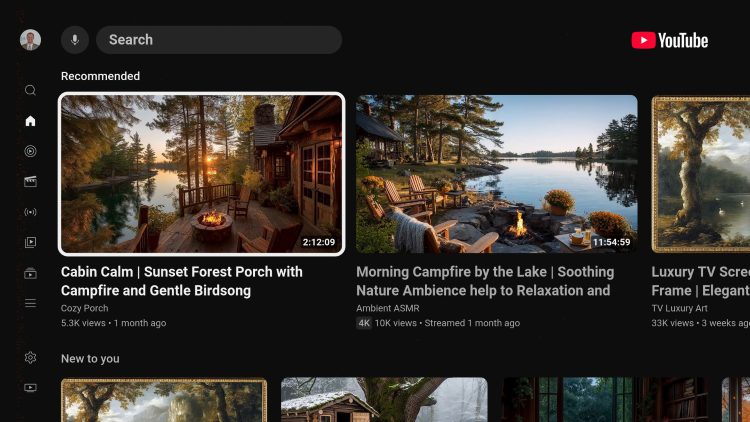
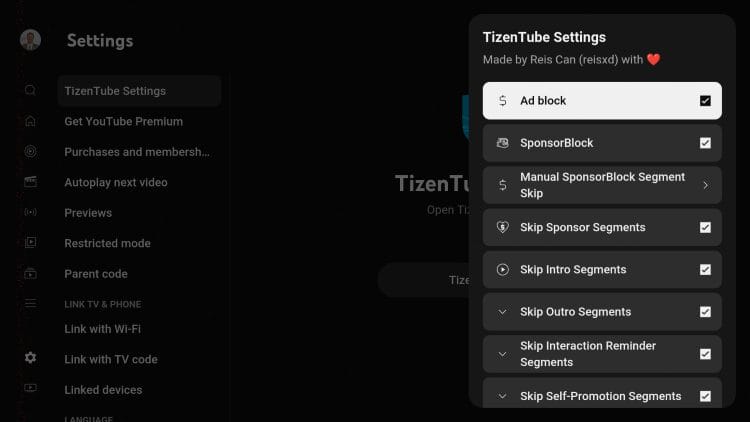
3. Open the settings menu and select TizenTube Settings to access advanced customization options.
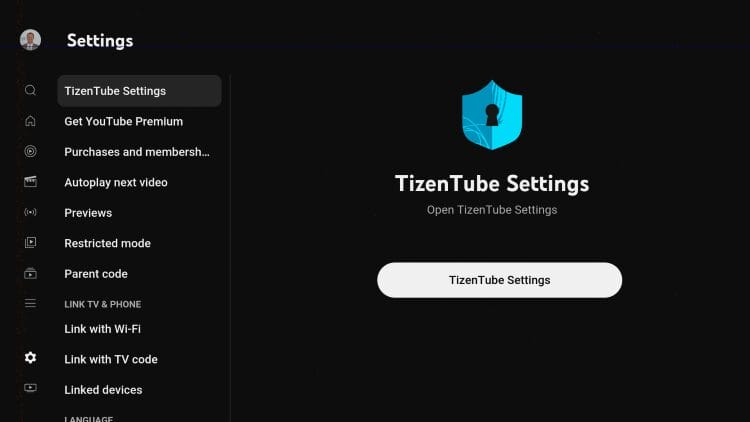
4. Enable features like Ad Block, SponsorBlock, and skip intro/outro segments for a smoother experience.
TizenTube is a free, open-source, third-party YouTube client designed primarily for smart TVs and streaming devices. Built with performance and simplicity in mind, TizenTube allows users to enjoy the full YouTube experience without interruptions from ads, making it a popular alternative to the official app.
Unlike the default YouTube application, which often includes frequent advertisements and limited customization, TizenTube focuses on delivering a cleaner and more user-friendly interface. It replicates the familiar layout of YouTube while enhancing it with advanced features that improve viewing comfort and control.
Originally developed for Tizen OS used in Samsung Smart TVs, TizenTube has expanded its compatibility through adapted versions that work seamlessly on Firestick, Android TV, and other popular streaming devices.
The growing demand for uninterrupted video streaming has led many users to search for alternatives to the standard YouTube app. TizenTube has quickly gained attention because it removes one of the biggest frustrations—ads—while maintaining the core experience that users are familiar with.
Another reason behind the rapid rise of TizenTube is its open-source nature. This allows continuous improvements from the community, ensuring that the app evolves alongside user needs. Unlike closed platforms, TizenTube benefits from transparency, flexibility, and frequent updates.
In addition, the app is optimized for large-screen viewing, making it especially appealing for TV users. With smooth navigation, fast performance, and enhanced playback controls, TizenTube provides a more enjoyable and immersive experience compared to traditional options.
TizenTube eliminates advertisements completely, allowing users to watch videos without interruptions. This creates a seamless viewing environment where content plays continuously without pre-roll or mid-roll ads.
One of the standout features of TizenTube is its support for SponsorBlock. This functionality automatically skips sponsored segments within videos, saving time and improving the overall viewing experience.
TizenTube offers advanced playback options such as video speed control and skipping specific segments. These tools provide users with more control over how they consume content.
With DeArrow integration, TizenTube enhances video titles and thumbnails by removing misleading elements. This helps users make more informed choices when selecting content.
TizenTube allows users to customize the interface with different themes and color options. From dark modes to color adjustments, users can tailor the interface to suit their comfort and style.
Although originally built for Tizen OS, TizenTube is now widely used on Firestick, Android TV, and Google TV devices. The app runs smoothly on various hardware configurations, ensuring consistent performance across different devices.
The interface of TizenTube closely mirrors the official YouTube layout, ensuring that users feel familiar from the moment they launch the app. Key sections such as home, subscriptions, and recommendations are all present and easy to navigate.
Additionally, the app supports account sign-in, allowing users to sync subscriptions and preferences, further enhancing the personalized experience.
TizenTube is an open-source application, which means its code can be reviewed and verified by the community. This transparency adds a layer of trust and allows users to better understand how the app functions.
While no issues are typically found in standard scans of the installation files, users are still encouraged to follow basic safety practices such as downloading from trusted sources and maintaining secure device settings.
Compared to other alternative clients, TizenTube stands out for its balance between simplicity and advanced features. Its integration of SponsorBlock, DeArrow, and full ad removal gives it an advantage over many competitors, while maintaining a familiar interface that reduces the learning curve for new users.
TizenTube is an excellent option for users who want a cleaner, faster, and more customizable YouTube experience. By removing ads and adding advanced playback features, it transforms how users interact with video content.
For anyone looking to enhance their streaming setup, TizenTube offers a reliable and efficient solution that goes beyond the limitations of the official app.
TizenTube is quickly becoming a preferred choice for users who want to enjoy YouTube content without interruptions. Its ad-free environment, powerful features, and smooth performance make it a standout option in the growing space of third-party YouTube clients.
For users seeking a better way to watch YouTube on Firestick or Android TV, TizenTube is a solution worth exploring.
Works on Fire TV Stick 4K, 4K Max, Lite, Google TV Streamer, NVIDIA SHIELD, onn 4K Pro, and all Android TV devices.
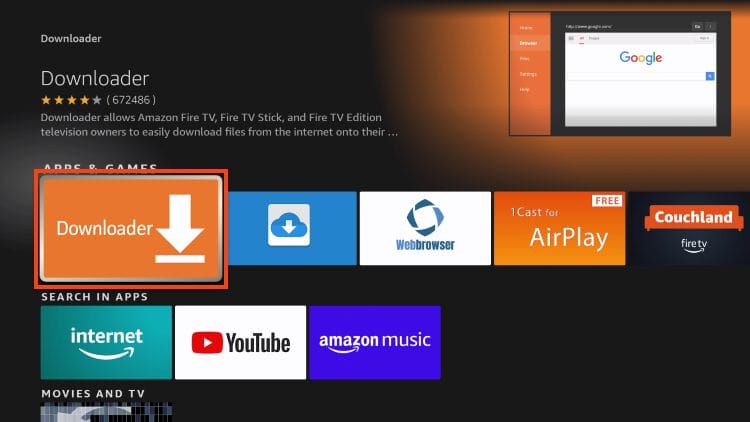
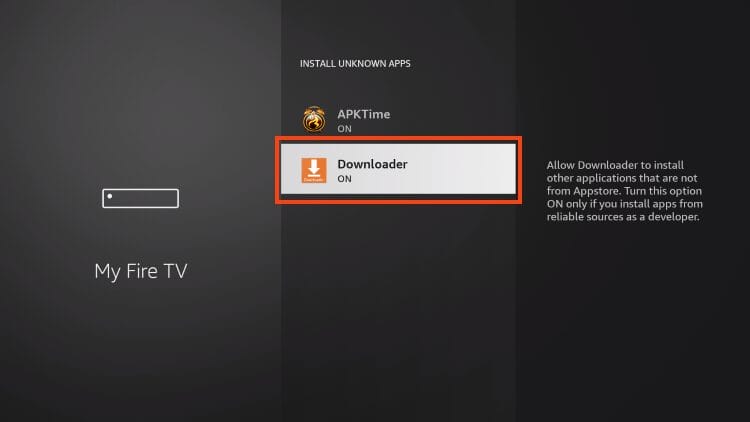
2. Go to your device Settings → My Fire TV (or Device Preferences) → Developer Options and enable Unknown Sources for the Downloader app.
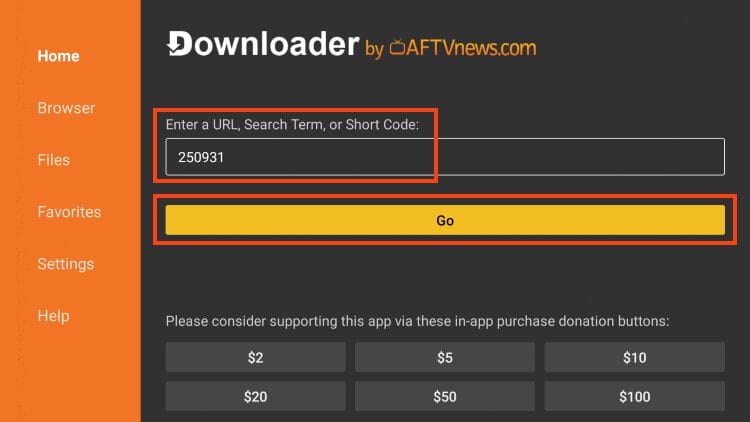
3. Open the Downloader App and select the URL / Code box.
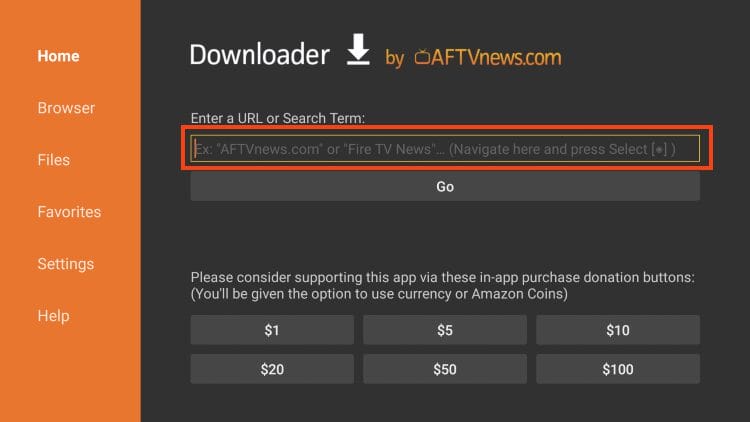
4. Type the code 250931 and press Go. This is the TROYPOINT Toolbox Downloader code.
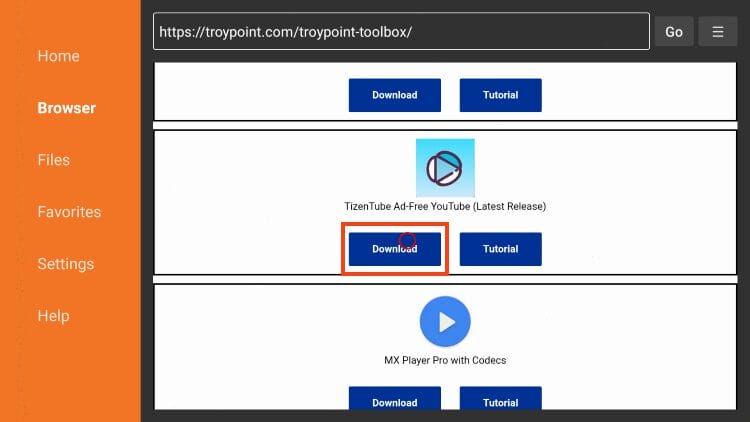
5. In the TROYPOINT Toolbox, scroll down to find TizenTube and select Download.
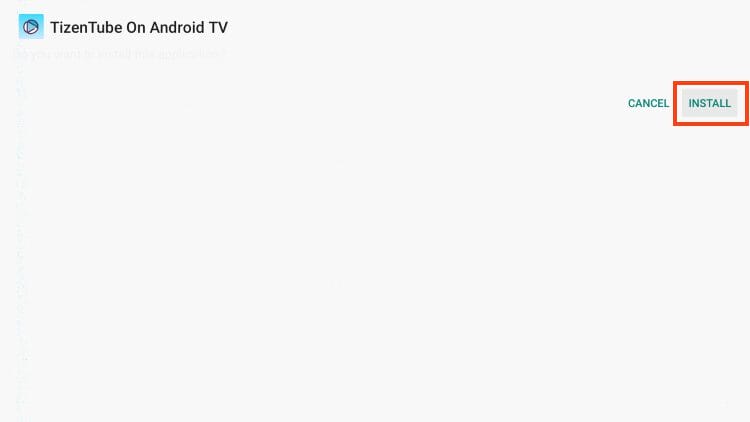
6. When prompted, click Install to begin installing the TizenTube APK.
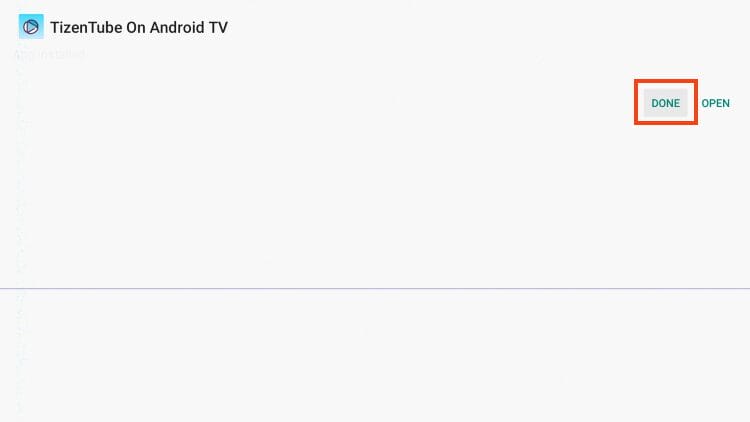
7. Once installation is complete, choose Done.
8. Select Delete to remove the APK installer file.
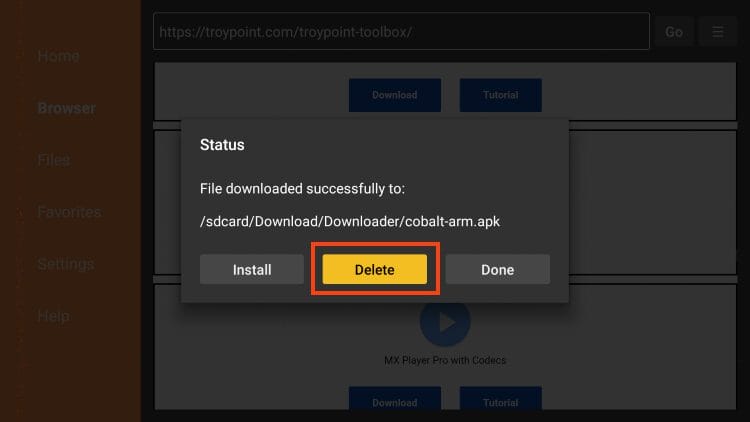
9. Click Delete again to confirm and fully remove the installation file from storage.
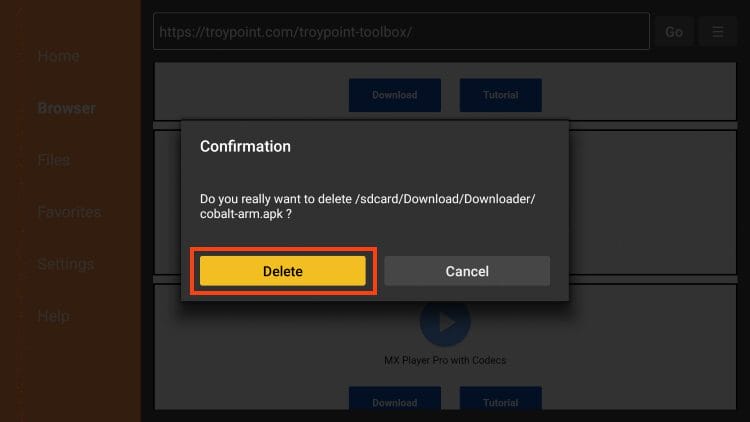
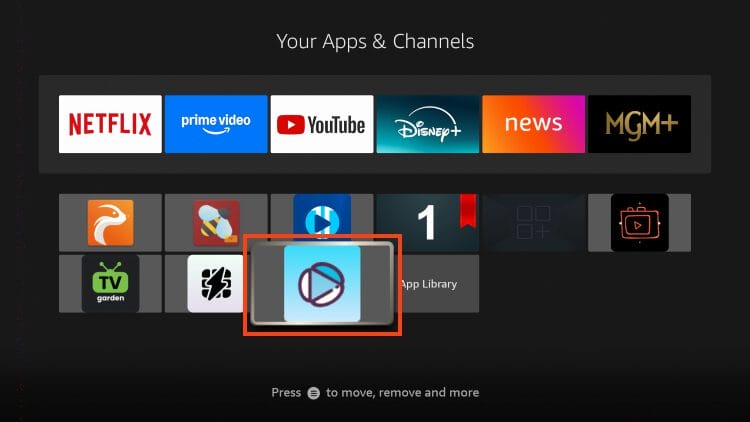
10. Return to your Apps list, find TizenTube and launch it. Installation is complete — enjoy ad-free YouTube! 🎉
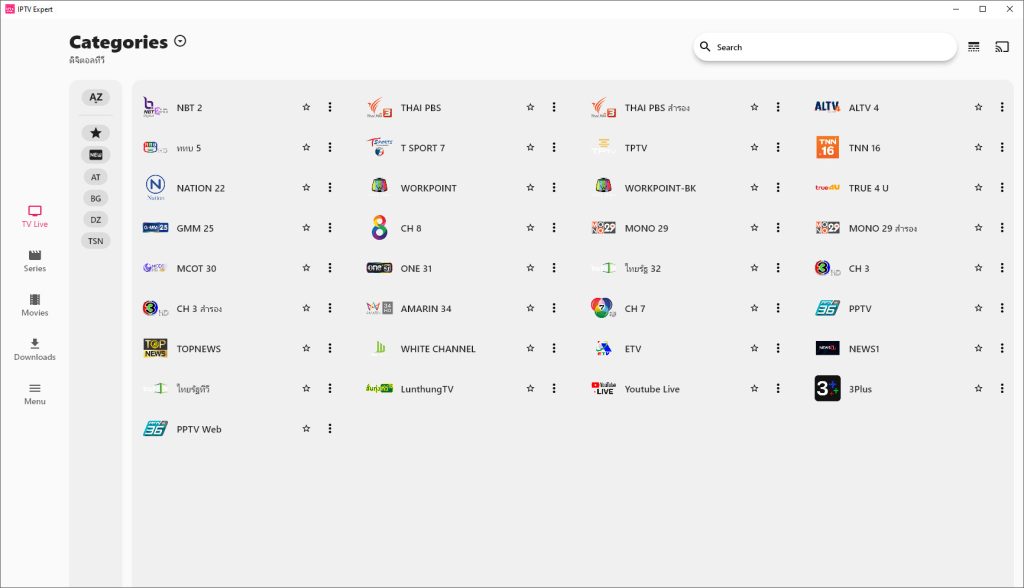
วิธีการอัปเดตเพลย์ลิสต์สำหรับโปรแกรมบนเครื่อง PC
วิธีค้นหาหนังและซีรีส์ อย่างง่ายครับ ทำตามขั้นตอนได้เลย
✅ แอพฯ สำหรับ PC windows 10 ขึ้นไปเท่านั้น.!!!
✅ วิธีใช้ https://youtu.be/0uDfCa8s9-Y
✅ ดาวน์โหลด https://pixeldrain.com/u/mYdZCara
ขอบคุณที่ใช้บริการของเรานะครับ

✅ ติดต่อเราได้ตามนี้ครับ